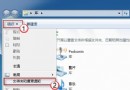
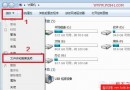
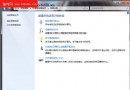
Win7 搜尋快且功能多,但同一搜尋框在不同位置搜尋範圍不同,初學者易覺難用。高手搜尋更快更準,關鍵在技巧:
「內容檢視」可顯示檔名、修改日期、大小、作者、縮圖、部份內容預覽、實際路徑、簡易中繼資料等豐富資訊,據此能更快鎖定目標檔案。
提示:搜尋結果空白處右鍵→「儲存搜尋」,可存為虛擬資料夾,下次同條件搜尋直接開啟即可。
Windows 7 與 Windows Mobile 7 將共享核心代碼:統一平台的先聲
100 系列主板(Z170/H170/B150)安裝 Win7 完整教學:整合 USB 3.0/XHCI 驅動至安裝映像,解決安裝過程滑鼠鍵盤失效
Windows 7 語音辨識功能設定教學:讓電腦聽懂你的指令
Win7 數字鍵盤 NumLock 失效?一鍵開啟螢幕鍵盤修復
Windows 7 Shell 指令大全:用 shell: 命令秒開資料夾、控制台、系統特殊目錄
兩步驟快速清除系統垃圾檔案
Win7 下載中斷最簡排解:網卡電源管理「允許關閉裝置」取消勾選,迅雷/快車不再掉線
Windows 7 多顯示器設定實戰指南(二):四大關鍵注意事項