Windows 7 共用資料夾上常出現一個小鎖圖示,雖不影響使用但影響美觀。經測試有兩種移除方法:
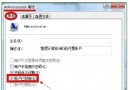
右鍵共用資料夾→「內容」→「安全性」→「編輯」→「新增」→輸入 Authenticated Users 並確定。缺點:下次分享時若未手動加入,小鎖可能再次出現。
右鍵共用資料夾→「內容」→「安全性」→「進階」→「權限」→「變更權限」→勾選「包含來自父物件的可繼承權限」→確定。小鎖圖示即會消失。
這兩招任選一即可去除可愛但多餘的小鎖,讓共用資料夾外觀更清爽。
解決 AMD/NVIDIA 顯卡在 Windows 7 播放視頻出現鋸齒馬賽克問題
Win7 寬帶撥號錯誤 711 完整解決方案:LogFiles 權限與服務修復
Windows 7 XP Mode 部署完整實測:硬體需求、安裝流程、虛擬機特色 (USB/列印/剪貼簿/實體磁碟/發布應用程式)
Win7 寬頻上網加速:魔方/優化大師一鍵優化 或 手動修改 TCP/IP 全域最大視窗
Win7 系統設定工具 (msconfig) 精簡啟動項:解決開機緩慢的核心對策
Win7 通知區電源按鈕消失?群組原則解除「刪除作業中心圖示」限制三步恢復