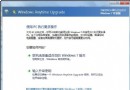
Windows 7 安全維護的基石是使用正版授權。正版系統享有微軟官方更新、支援、安全工具 (MSE),避免盜版植入木馬、後門、資料外洩風險。
正版系統支援自動更新,但偶因網路、服務、元件問題導致更新失敗。解決路徑:
正版授權 + 更新自動修復 + 核心防護三合一,打造堅不可摧的 Win7 安全防線。
Windows 7 必學 70 招技巧大全(第 4 部分:第 31-41 招)
Windows 7 必學快速鍵大全:Win+方向鍵掌控視窗、跨螢幕、突顯當前
Windows 7 系統安全防護全攻略:帳戶控制、自動更新、UAC 等級、自動播放、Windows Defender、防火牆、IE8 隱私與釣魚防護
優化 Win7 休眠檔與虛擬記憶體:釋放 C 槽空間、延長 SSD 壽命
Windows 7 桌面圖示變白磚?四種修復圖示快取的有效方法(含自動修復腳本)
Windows 7 藍屏錯誤代碼完整對照表 (0x0000 ~ 0x00D7)