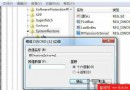
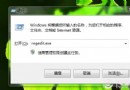
播放音樂/影片時 audiodg.exe CPU 瞬間飆至 80-90%,播放穩定後仍維持 6-8%,顯然異常。
audiodg.exe
嘗試取消「進階」頁籤「獨佔模式」勾選,經測試無明顯效果。建議直接停用增強功能。
卸載 Windows 7 後如何移除多餘的啟動選單?雙系統清理完整教學
Windows 7 隱藏檔案/資料夾七步驟教學:屬性設定 + 資料夾選項雙重保障
修復 Windows 7 EXE 圖示遺失/異常:清除圖示快取 (iconcache.db) 一鍵恢復
解決 Windows 7 休眠斷網:啟用混合休眠模式註冊表修改法
Win7 更換桌布與個人化設定入門:右鍵選單變化、控制台路徑、主題套用
Win7 開機錯誤「未能連接一個 Windows 服務」解決方案
Windows 7 十五大特色功能(二):故障記錄、資源監視、DIY 修復光碟等
善用 Windows 7 內建防火牆,為系統加把安全鎖