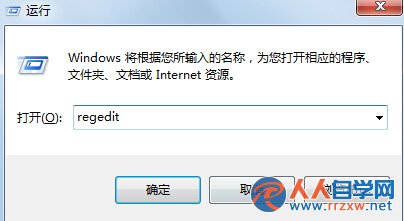
regedit
HKEY_USERS\.DEFAULT\Software\Microsoft\Windows\CurrentVersion\Explorer
NoDesktop
1
想恢復將數值改回 0 或刪除鍵值即可。
0
Win7 工作列不見了怎麼辦?任務列消失恢復完整解決方案
Win 7 修改開機登入畫面背景圖片完整教學(含註冊表啟用)
Win7 右鍵菜單過長怎麼辦?三步清理「發送到」與隱藏項目
Win7 建立桌面捷徑完整教學:右鍵新建、拖曳發送到、鍵盤快捷鍵三大法
修改 Windows 7 資源管理器預設啟動位置為「我的電腦」
Win7 開機提示「找不到硬碟」四大排查方向:線材、SATA、超頻、受潮
解決 Windows 7 資源管理器雙擊資料夾總在新視窗開啟問題
Win7 網頁打不開?檢查 DNS 設定與 IE 修復兩大關鍵步驟