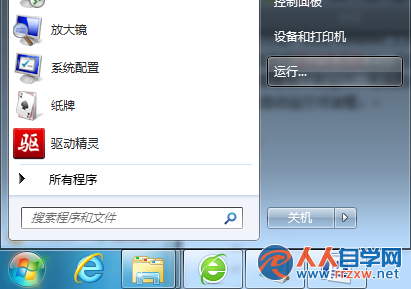
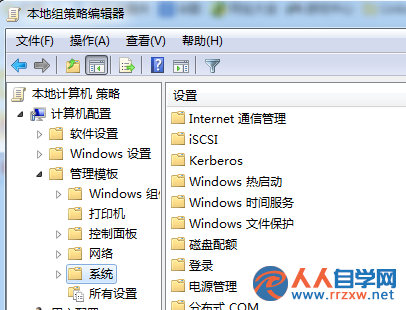
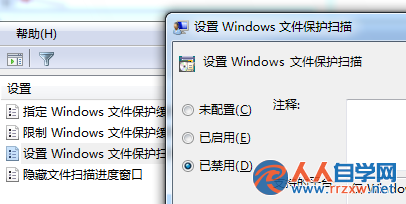
系統頻繁彈出「Windows 正在驗證所有受保護的 Windows 檔案都沒有經過改動且都是原始版本」,即使插入安裝光碟修復也過幾天又跳出來。根因是系統檔案保護機制(WFP)偵測到檔案雜湊不符,透過群組原則停用掃描即可止住彈窗。
gpedit.msc
注意:此做法會關閉系統檔案自動還原保護,建議僅在確認系統穩定、無惡意軟體感染時使用。若系統檔案確實損壞,仍建議執行 sfc /scannow 修復。
sfc /scannow
Win7 共享印表機存檔報錯 0x00000001?還原防火牆預設值即解
Windows 7 開始選單隱藏功能:空白處右鍵直達「工作列及開始選單屬性」
Win7 帳戶權限設定全攻略:標準帳號+管理員密碼+禁用 Guest,打造安全環境
修復 Win7 部分磁碟分區圖示錯誤/遺失卷標
Windows 7 20 個實用小技巧總結(上)
Win7 設定 Office 2013 登入行為:透過登錄值 SignInOptions 選擇帳號類型或完全停用雲端登入
MiniBin:將回收站縮進任務列通知區,桌面零圖示
XP 系統能否讀取 Win7 BitLocker To Go 加密的 USB 碟?實測告訴你