Windows XP Windows 7 Windows 2003 Windows Vista Windows 綜合教學 Linux 系統教學
Windows 10 Windows 8 Windows 2008 Windows NT Windows Server 電腦軟體教學

哪三種方法能屏蔽 Win7/Win8.1 升級 Win10 推播?群組原則、登錄關閉升級、登錄關閉通知

編輯:Win7 系統應用技巧

微軟透過 KB3035583 推播「取得 Windows 10」升級提示,若暫不想升級,官方提供三種關閉方式:
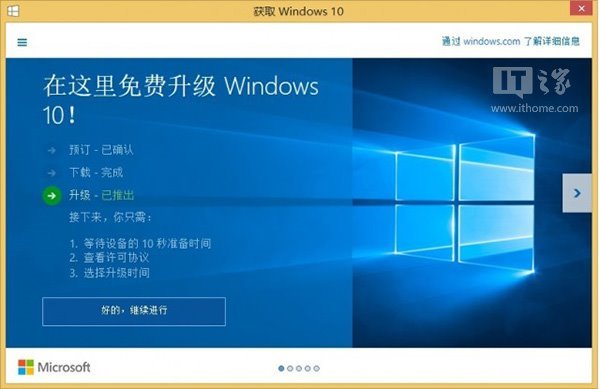
方法一:群組原則關閉升級功能(專業版/企業版/旗艦版適用)

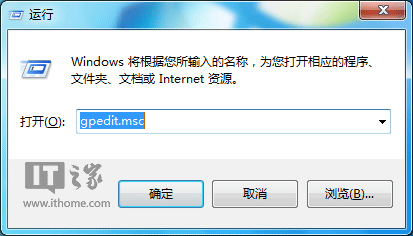
  1. Win + R → gpedit.msc。
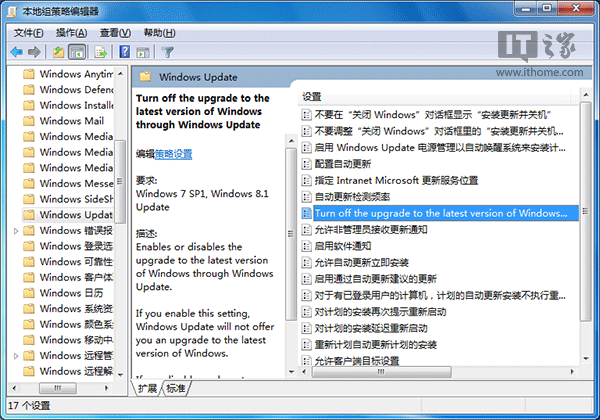
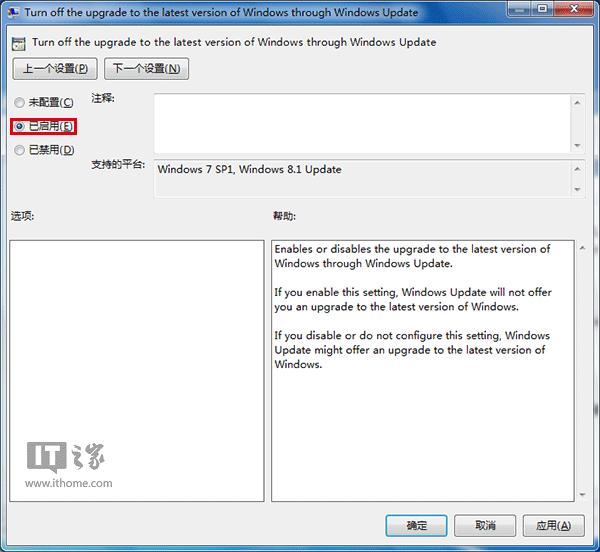
  2. 電腦設定 → 系統管理範本 → Windows 元件 → Windows Update → 「關閉透過 Windows Update 升級至最新版 Windows」 → 「已啟用」 → 確定。

方法二:登錄關閉升級功能(所有版本通用)

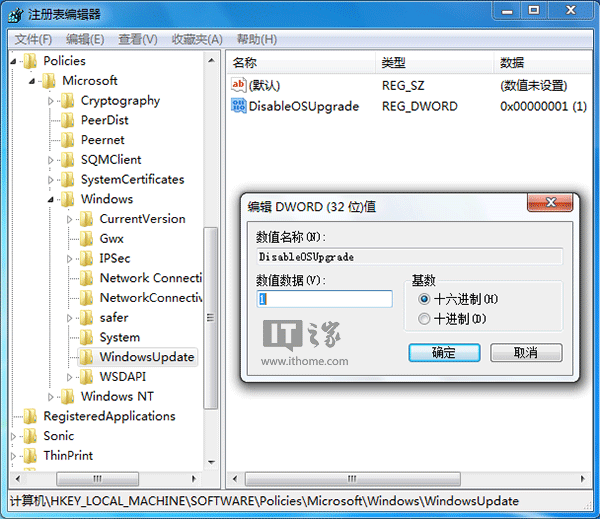
  1. regedit → HKEY_LOCAL_MACHINE\SOFTWARE\Policies\Microsoft\Windows\WindowsUpdate
  2. 右側 DisableOSUpgrade 雙擊 → 數值資料 1 → 確定。

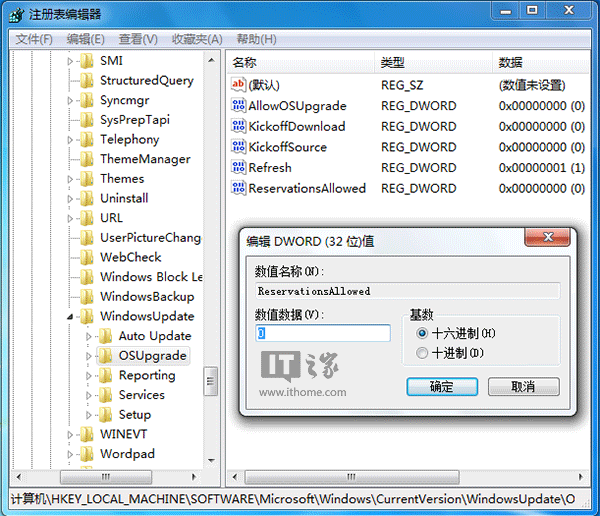
方法三:登錄關閉「取得 Windows 10」升級通知

  1. regedit → HKEY_LOCAL_MACHINE\SOFTWARE\Microsoft\Windows\CurrentVersion\WindowsUpdate\OSUpgrade
  2. 右側 ReservationsAllowed 雙擊 → 數值資料 0 → 確定。
提醒:修改登錄前建議備份;執行後重開機生效。若日後想升級,將對應數值改回 0/1 或在群組原則設「未設定」即可恢復推播。
Copyright © Windows教程網 All Rights Reserved