Win7 以「傳送至 → 桌面捷徑」建立捷徑,檔名會自動加上「 - 捷徑」後綴。修改登錄 HKEY_CURRENT_USER\Software\Microsoft\Windows\CurrentVersion\Explorer\Link 為二進位 00 00 00 00 即可停用此行為。本文四步驟製作 .reg 檔匯入教學。
Windows Registry Editor Version 5.00

[HKEY_CURRENT_USER\Software\Microsoft\Windows\CurrentVersion\Explorer]
"Link"=hex:00,00,00,00
移除捷徑字樣.reg → 儲存。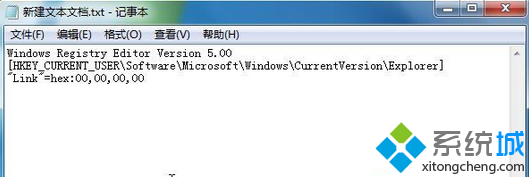

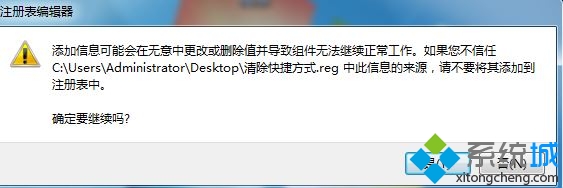
Link 值控制捷徑檔名後綴生成邏輯,00 00 00 00 代表不附加任何字串。預設為十六進位編碼的「 - 捷徑」字串。
刪除該登錄值或將 Link 設為預設十六進位字串,重新登入生效。