Windows XP Windows 7 Windows 2003 Windows Vista Windows 綜合教學 Linux 系統教學
Windows 10 Windows 8 Windows 2008 Windows NT Windows Server 電腦軟體教學

Win7 進入桌面圖示延遲顯示?註冊表修改圖示快取上限秒解

編輯:Win7 系統應用技巧

現象:開機進入桌面後,圖示長時間顯示空白或白色預設圖示。主因:圖示快取上限過小導致頻繁重建。

修復步驟

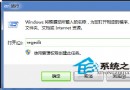
  1. Win+R → regedit。
  2. 展開 HKEY_LOCAL_MACHINE\SOFTWARE\Microsoft\Windows\CurrentVersion\Explorer。
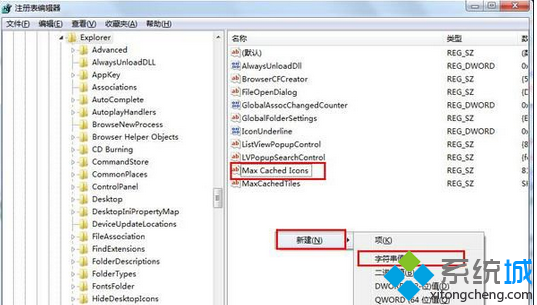
  3. 右側找 Max Cached Icons(字串值),不存在則右鍵→新增→字串值命名為 Max Cached Icons。

  4. 雙擊修改數值為 8192(預設 500,單位 KB),確定並重開機。

原理補充

  • 此值控制 %LocalAppData%\IconCache.db 最大尺寸,增大可減少圖示重繪。
  • 若無效:刪除 IconCache.db 重開機強制重建,或檢查磁碟錯誤 chkdsk /f。
Copyright © Windows教程網 All Rights Reserved