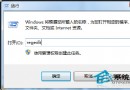
右鍵桌面/資料夾等待 10 秒以上才彈出選單,主因是第三方軟體在 ContextMenuHandlers 註冊過多/損壞的殼擴展。雙管齊下修復:
regsvr32 /u igfxpph.dll → 確定(提示成功)。regsvr32 igfxpph.dll。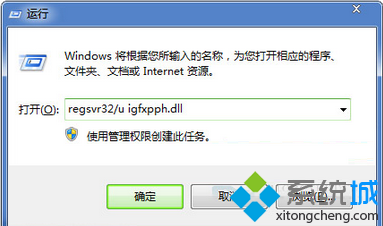
regedit。HKEY_CLASSES_ROOT\Directory\Background\shellex\ContextMenuHandlersNew 項目(新建功能),其餘全部刪除(如 ACE、WinRAR、NvCplDesktopContext 等)。HKEY_CLASSES_ROOT\*\shellex\ContextMenuHandlers、HKEY_CLASSES_ROOT\Folder\shellex\ContextMenuHandlers、HKEY_CLASSES_ROOT\Directory\shellex\ContextMenuHandlers、HKEY_CLASSES_ROOT\Drive\shellex\ContextMenuHandlers。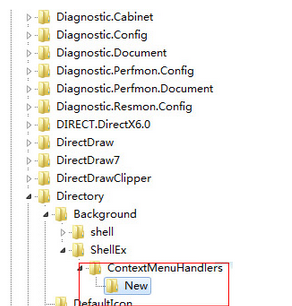
效果:右鍵選單瞬間彈出,無延遲。需用的右鍵功能(如 WinRAR 解壓)請從該軟體設定介面重新啟用「整合到右鍵選單」。