Windows XP Windows 7 Windows 2003 Windows Vista Windows 綜合教學 Linux 系統教學
Windows 10 Windows 8 Windows 2008 Windows NT Windows Server 電腦軟體教學

Win7 開機卡在「checking file system on C」?登錄表刪除 BootExecute 自動檢查

編輯:Win7 系統應用技巧

Windows 7 開機每次都跑 checking file system on C 磁碟檢查,耗時且無法跳過。通常因登錄表 BootExecute 值殘留 autocheck autochk * 導致,刪除該值即可停止開機自動檢查。

修復步驟

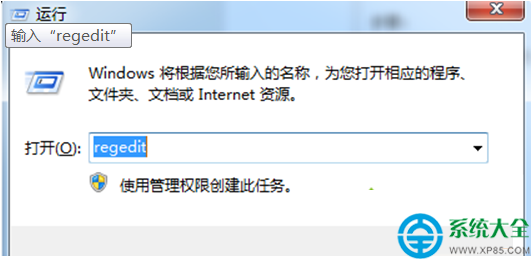
  1. 按 Win + R 輸入 regedit 開啟登錄編輯器。
  2. 依路徑展開:
    HKEY_LOCAL_MACHINE\SYSTEM\CurrentControlSet\Control\Session Manager
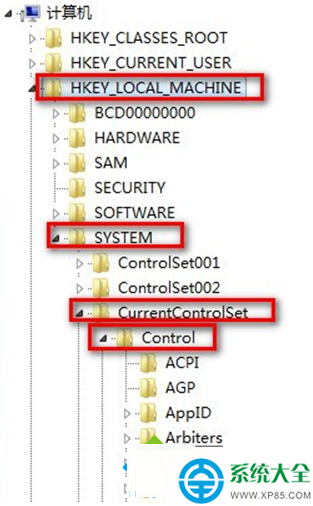
  3. 右側找到 BootExecute,雙擊開啟,將「數值資料」中的 autocheck autochk * 全部刪除(留空或保留預設空值),確定。
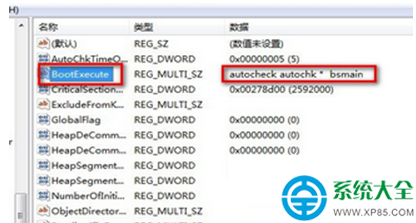
  4. 重新啟動電腦,開機不再進入磁碟檢查畫面。

注意:若磁碟確有壞軌/檔案系統錯誤,建議先在系統內以管理員身分執行 chkdsk /f /r 修復完成後,再清除此值,避免掩蓋硬體問題。

Copyright © Windows教程網 All Rights Reserved