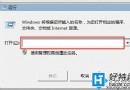
Win7 shell: 指令可從「執行」 (Win + R) 或總管網址列一鍵開啟深層系統資料夾,比點點點快十倍。整理 40+ 常用指令:
| 指令 | 開啟目標 | 備註 |
|---|---|---|
shell:Profile | 當前使用者根目錄 (C:\Users\Username) | 同 %userprofile%、開始選單點使用者名 |
shell:Personal | 我的文件 | 開始選單「文件」 |
shell:SendTo | 「傳送到」資料夾 | 隱藏於 AppData 深層,指令直達 |
shell:Public | 公用共用資料夾 | 家庭群組共用 |
shell:Common Startup | 所有使用者啟動資料夾 | |
shell:Startup | 當前使用者啟動資料夾 | |
shell:ConnectionsFolder | 網路連線資料夾 | 最快開啟網路介面卡設定 |
shell:Programs / shell:Common Programs | 開始選單程式清單 (當前/所有使用者) | |
shell:AppData / shell:Local AppData | 漫遊/本地應用程式資料 | Firefox 等軟體設定檔所在 |
shell:Cookies / shell:Cache | IE Cookie / 快取 | 最快檢視/清理 |
shell:Desktop | 桌面資料夾 | |
shell:Downloads | 下載資料夾 | |
shell:Favorites | IE 最愛 | |
shell:Searches | 已儲存搜尋 | |
shell:Links | IE 導覽列連結 | |
shell:My Music | 我的音樂 | |
shell:My Pictures | 我的圖片 | |
shell:My Video | 我的影片 | |
shell:Contacts | 聯絡人 | |
shell:Common Desktop | 公用桌面 | |
shell:Common Documents | 公用文件 | |
shell:CommonDownloads | 公用下載 | |
shell:CommonMusic | 公用音樂 | |
shell:CommonPictures | 公用圖片 | |
shell:CommonVideo | 公用影片 | |
shell:Common Templates | 公用範本 | |
shell:Common Start Menu | 公用開始選單 | |
shell:Common Administrative Tools | 公用管理工具 | |
shell:Administrative Tools | 當前使用者管理工具 | |
shell:Fonts | 字型資料夾 | |
shell:RecycleBinFolder | 回收站 | |
shell:ControlPanelFolder | 控制台 | |
shell:PrintersFolder | 印表機資料夾 |
使用技巧: Win + R → 輸入 shell:Downloads 即開下載資料夾;總管網址列輸入同樣有效。熟記常用 10 條,檔案管理效率倍增。