使用 Ghost 安裝 Windows 7 時出現 invalid switch fmount,常見原因有三:
- Ghost 找不到安裝分區 (分區表異常)。
- 下載的映像檔損壞或非 Ghost 格式。
- 雙系統環境下,另一系統非 Ghost 類型導致衝突。
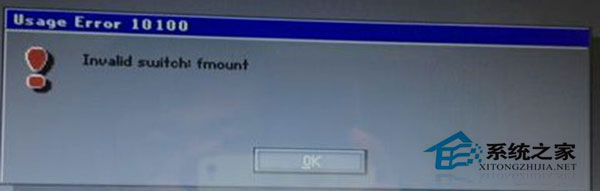
解決方法
- 重新分區 (建議用 DiskGenius),再重新 Ghost 安裝。
- 重新下載熱門、口碑好的 Ghost 映像檔 (如深度 Ghost Win7)。
- 使用分區工具修復分區表後再格式化,或直接在 Ghost 環境下操作 (最穩定)。
- 若以上皆無效,更換安裝媒體 (U 盤/光碟) 嘗試。
Ghost 安裝核心在於分區表正確與映像檔完整,做好這兩點成功率極高。