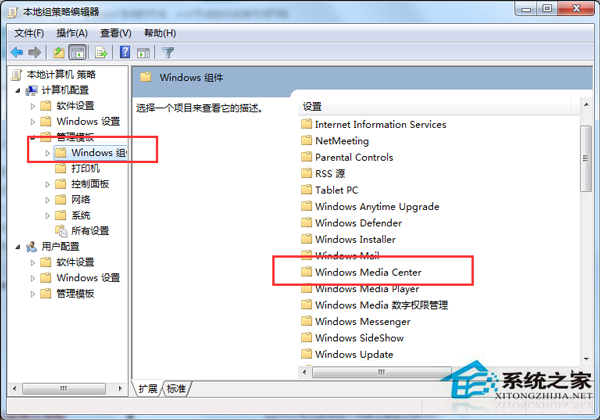
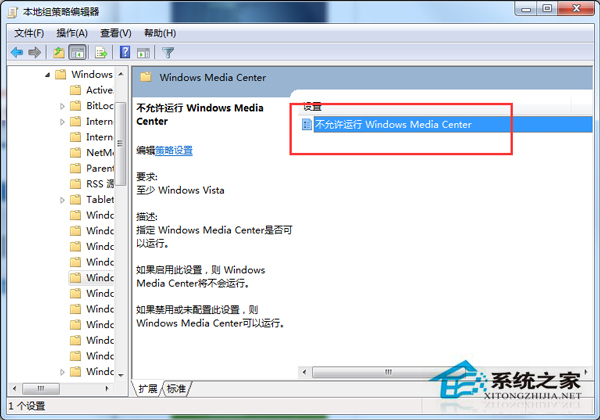
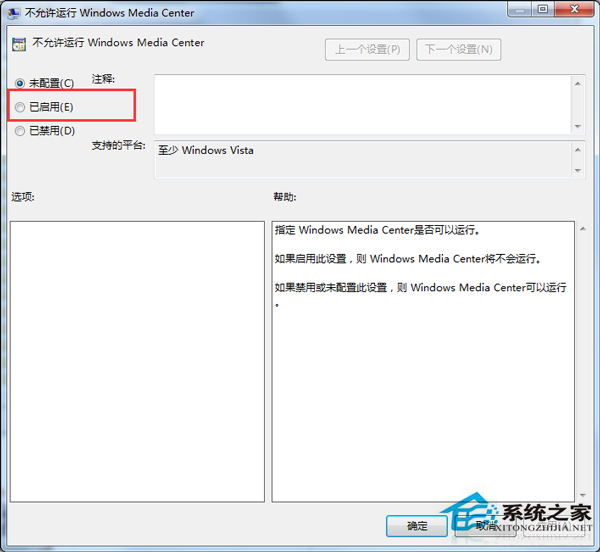
Windows Media Center (WMC) 功能單一且常彈出升級提示。透過群組原則啟用「不允許執行 Windows Media Center」,可徹底禁用 WMC 並移除開始功能表捷徑,乾淨無干擾。
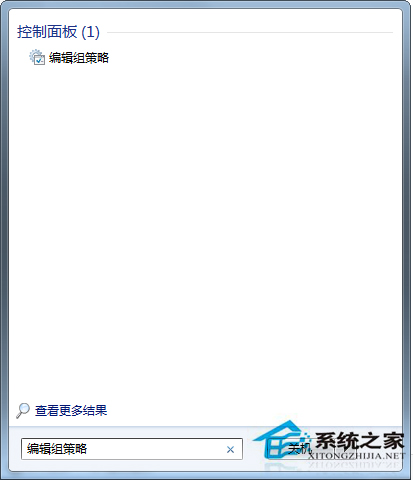
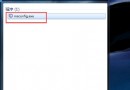
gpedit.msc
禁用後 WMC 無法啟動,開始功能表捷徑消失,不再彈出升級提示。若需觀看電視/媒體,建議使用 PotPlayer、MPC-BE、VLC 等現代播放器,格式支援更全、介面更現代。
電腦顯卡壞了想換新的?預算別推薦:二手 GTX 660 / HD 7850 或全新 RX 460 / GTX 1050
Win7 藍屏錯誤代碼 0x0000001E 完整解決方案
Win7 徹底刪除頑固殘留檔案:批次檔 (.bat) 強制刪除腳本
解決Win7系統安裝CAD 2012失敗的完整指南
Win7 列印提示「Active Directory 網域服務目前無法使用」?重新新增印表機解決
Win7休眠唤醒弹出“拒绝访问”?关闭重启休眠功能重置电源状态
Mac 上建立 Win7 安裝碟:Boot Camp 助理修改 Info.plist 突破機型限制
CPU 在主板哪裡?一分鐘教你精準定位處理器位置