Windows XP Windows 7 Windows 2003 Windows Vista Windows 綜合教學 Linux 系統教學
Windows 10 Windows 8 Windows 2008 Windows NT Windows Server 電腦軟體教學

Win7 錯誤代碼 0x80004005?重新註冊三個 DLL 檔案快速修復

編輯:Win7 系統應用技巧

出現 0x80004005 未指定錯誤,常因 Softpub.dll、Wintrust.dll、Initpki.dll 三個核心安全性 DLL 未正確註冊。依序在「執行」中註冊即可修復。

修復指令

  1. Win+R → 輸入 regsvr32 Softpub.dll → Enter → 確定成功提示。
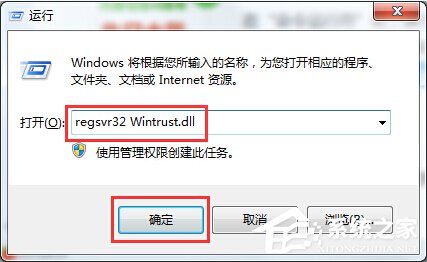
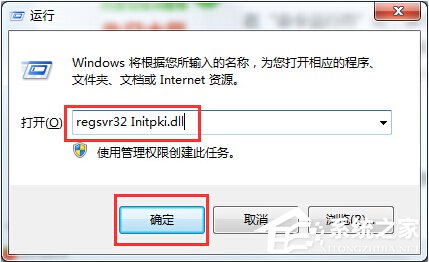
  2. 2. 重複操作:regsvr32 Wintrust.dll 3. 重複操作:regsvr32 Initpki.dll
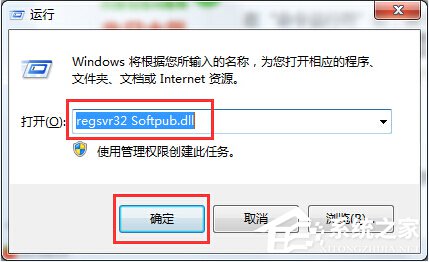
註冊Softpub.dll
註冊Wintrust.dll
註冊Initpki.dll

三個指令全部執行成功後,重新啟動相關程式或電腦,錯誤即可排除。若持續出現,建議檢查防毒軟體是否攔截 DLL 註冊,或執行 sfc /scannow 修復系統檔案。

Copyright © Windows教程網 All Rights Reserved