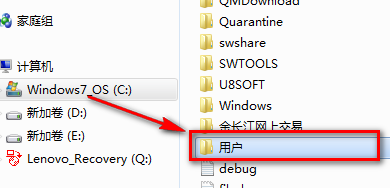
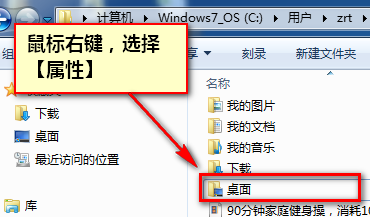
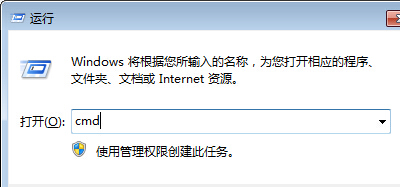
習慣把重要檔案放桌面?桌面預設在系統槽 (C:),系統崩潰重灌最易遺失資料。修改桌面資料夾路徑至 D 槽或其他磁碟,資料安全再升級。
Users\<你的使用者名稱>\Desktop
完成後,桌面檔案實際儲存於新位置,系統重灌不影響資料。
Win7 啟用失敗 0xc004e003?SFC 掃描修復系統檔後再用 OEM7/小馬激活工具
Win7 開始選單加入「下載」連結,四步驟快速存取下載資料夾
電腦配置能否流暢運行《戰艦世界》?詳細分析與優化建議
Win7 任務管理員進程太多不知哪些可關閉?常見進程辨識指南與系統關鍵進程保護清單
Win7 防止登錄被竄改與 DNS 劫持:停用 Remote Registry 服務
Windows 7 網路頻繁斷線?網卡電源管理預設值導致,一鍵關閉「允許關閉裝置省電」
Win7 禁止系統還原至預設狀態,防止資料遺失
行車紀錄器 360 全景影片怎麼在電腦看?拔記憶卡用讀卡器最直接