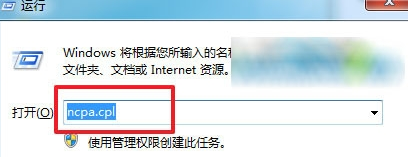
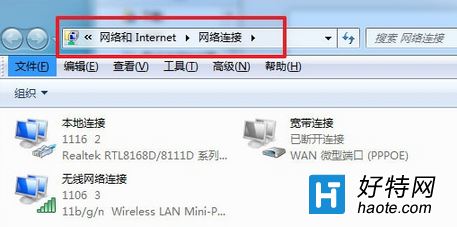
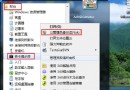
Windows 7 要開啟「網路連線」視窗,透過控制台點選需經過「網路和共用中心」→「變更介面卡設定」多層選單。實際上,執行 ncpa.cpl 指令可直接開啟,大幅節省時間。
ncpa.cpl
小技巧:若網路連線圖示過多(如多次 VPN、虛擬網卡),可右鍵刪除不再使用的連線圖示,保持介面清爽。
Win7 快速查看資源回收筒實際所在磁碟分區:右鍵屬性一鍵檢視
安裝 Win7 後必做三件事:禁用休眠、刪除舊系統備份、調整虛擬記憶體
如何選擇正版圖庫?邑石網包年方案高CP值可參考
Windows 7 系統加速八大常規設定:啟動、關機、視窗、字體、快取全優化
Win7 安裝 IE10 失敗四大原因與對應解決方案
電腦網路封包分析工具推薦:合法合規的 Sniffer 替代方案
Win7 看影片黑屏有聲音?六大排查方向:快取、Flash、驅動、IE、顯卡、硬體
Win7 桌面與開始功能表都找不到 IE 瀏覽器?啟用 Windows 功能恢復