Windows XP Windows 7 Windows 2003 Windows Vista Windows 綜合教學 Linux 系統教學
Windows 10 Windows 8 Windows 2008 Windows NT Windows Server 電腦軟體教學

Windows 7 設定自動登入:control userpasswords2 取消勾選「使用者必須輸入密碼」

編輯:Windows 7 系統介紹

跳過登入畫面,開機直達桌面(僅限個人專用電腦)

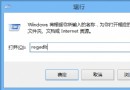
  1. Win+R 輸入 control userpasswords2 → Enter。
  2. 彈出「使用者帳號」視窗 → 取消勾選 「使用者必須輸入使用者名稱和密碼才能使用這台電腦」。
  3. 點擊「套用」 → 彈出「自動登入」視窗 → 輸入使用者名稱、密碼、確認密碼 → 確定。

警告:

  • 不適用公用/共用電腦,資料外洩風險極高。
  • 若帳號無密碼,自動登入仍生效但安全性歸零。
  • 與 Vista 設定方式完全相同。

個人筆電/桌機若環境安全,自動登入可節省數秒開機等待,體驗提升明顯。

Copyright © Windows教程網 All Rights Reserved