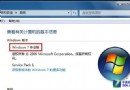
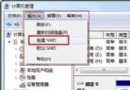
安裝多重啟動系統時,啟動管理器損壞或配置錯誤常導致所有系統無法進入。本文介紹輕量級工具 XRLDR,透過手動管理啟動檔案與 BCD 設定,讓 Windows XP、Windows 7、WinPE 三系統各自獨立啟動,互不干擾,極大提升多系統維護彈性。
NTLDR + boot.ini(NT52 啟動扇區)。BOOTMGR + BCD(NT60 啟動扇區)。bootsect.exe 複製到 C 槽根目錄。bootsect.exe /nt52 c:Bootcode was successfully updated on all targeted volumes. 即成功將主開機記錄改為 NT52 格式。注意:若是先裝 7 再裝 XP,嚴禁 執行上述指令,否則兩系統皆無法啟動。
bootmgr 與 boot 資料夾剪下貼上到 D 槽根目錄。bcdtool.exe(需支援離線編輯 BCD 的版本),開啟 d:\boot\bcd。device partition=D:description Windows 7d:\bootmgr,Windows 7 即可從 D 槽獨立啟動。xrldr.ini,新增三個啟動項目:title Windows XP
chainloader /ntldrtitle Windows 7
chainloader /bootmgr /d:D:title WinPE
chainloader /bootmgr /d:E: (視 WinPE 所在分區)掌握此法,多系統維護不再是噩夢,隨時可新增/移除/備份單一系統而不牽一髮動全身。