右下角頻繁彈「磁碟空間不足」氣球提示很煩?登錄檔新增 NoLowDiskSpaceChecks 設為 1 即可徹底停用通知。
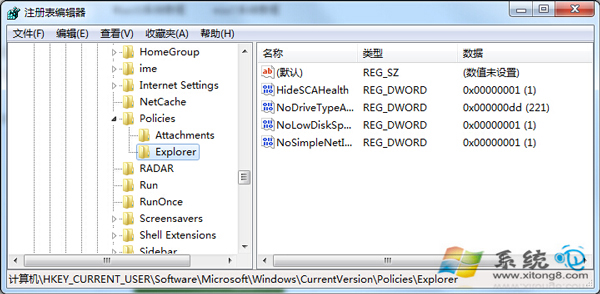
NoLowDiskSpaceChecks
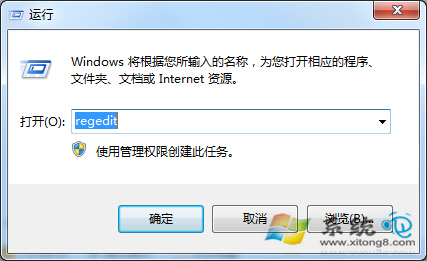
regedit
HKEY_CURRENT_USER\Software\Microsoft\Windows\CurrentVersion\Policies\Explorer
1
Win7 列印卡在「正在刪除/正在列印」?重啟 Print Spooler + 清理 Spool 資料夾秒解決
Win7 筆電合上蓋子不休眠,掛機下載不中斷
Win7 打造護眼系統:視窗背景設定護眼綠 (RGB 199,237,204) + Resource Hacker 修改資源管理器背景色完整教學
Win7 系統服務精簡指南:禁用 20 項服務大幅加速開機
Win7 燒錄機使用詳解:內建燒錄功能九步驟操作指南
基於 Vista 升級而來:Windows 7 UAC (使用者帳戶控制) 深度解析與四級防護詳解
Win7 透過群組原則限制 USB 裝置 僅允許指定隨身碟防毒防洩密
Win7 輸入法圖示消失?控制台語言欄設定「停駐在工作列」找回