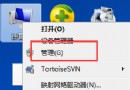
右鍵選單不彈出、卡住?通常是 Explorer 殼層異常或登錄檔選單鍵值錯誤。用命令提示字元重設登錄鍵值並重啟 Explorer 即可修復。
cmd Ctrl+Shift+Enter)。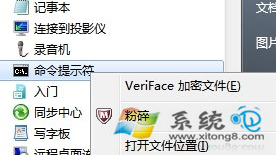
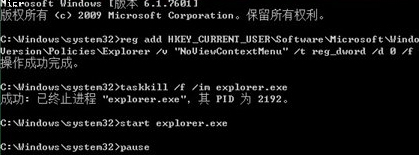
reg add HKEY_CURRENT_USER\Software\Microsoft\Windows\CurrentVersion\Policies\Explorer /v "NoViewContextMenu" /t reg_dword /d 0 /f
taskkill /f /im explorer.exe
start explorer.exe
pause
若仍異常,檢查 HKEY_CLASSES_ROOT\Directory\Background\shellex\ContextMenuHandlers 下第三方擴充項 (如壓縮軟體、雲端同步) 是否導致卡頓,必要時刪除對應鍵值。
Win7 工作列變白色/灰色異常修復:更換主題、視覺效果調整、Themes 服務檢查、系統修復/重裝
巧用組策略強化 Windows 7 安全:磁碟隱藏、存取控制、瀏覽器鎖定、軟體限制全方位防護
Windows 7 超級工作列 vs Mac OS X Dock:功能與設計深度對比
Win7 禁止檔案總管地址列記錄訪問歷史:註冊表 TypedPaths 權限鎖定法
Windows 7 背後驚人數字:3000 工程師、8 萬測試用戶、94% 滿意度、1400+ 機型
Win7 64位 如何製作個人化桌面投影片主題?自訂壁紙輪播間隔與存檔