cmd → 開啟 cmd.exe。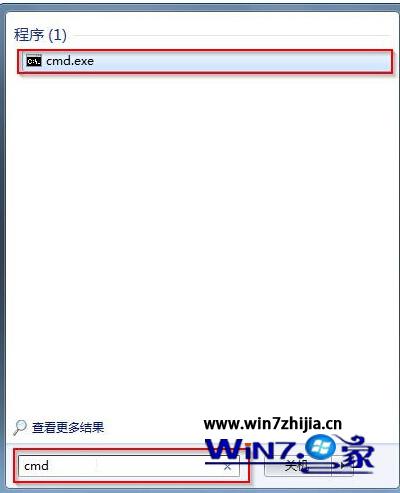
clip /?(clip 與 /? 之間有空格)→ Enter,剪貼板檢視器隨即彈出。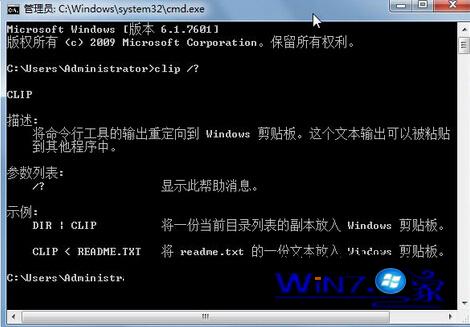
Win7 內建 clip.exe 支援 /? 參數顯示剪貼板內容,無需第三方工具,適合快速檢查複製文字/圖片。
Win7 控制台「RemoteApp 與桌面連線」怎麼用?遠端存取公司資源全攻略
Win7 檔案總管啟用核取方塊選取模式:資料夾選項一鍵開啟,多檔選取不再需按住 Ctrl
Win7 修改 DNS 伺服器位址:圖解控制台網路介面卡設定步驟
限制電腦只能存取指定網站:Hosts + DNS 劫持雙重封鎖,適合兒童上網管制/體驗區專用機
Win7 列印卡在「正在刪除/正在列印」?重啟 Print Spooler + 清理 Spool 資料夾秒解決
解決 Windows 7「多重網路」無法取得 IP 之 Bonjour 衝突移除方案