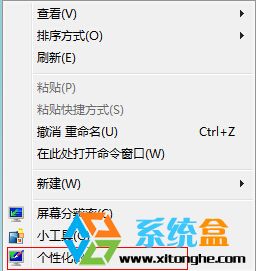
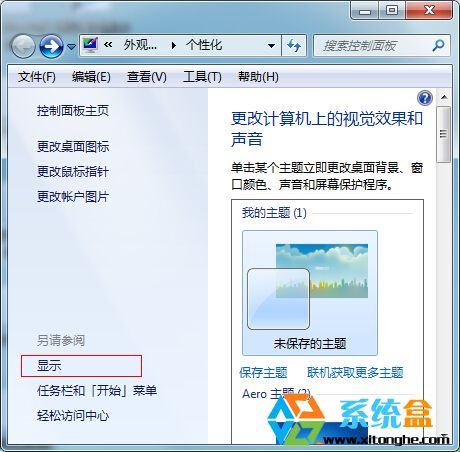
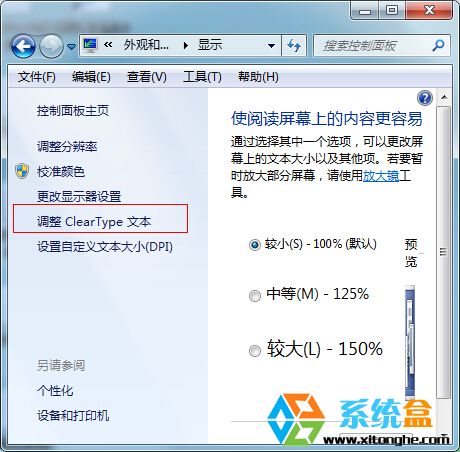
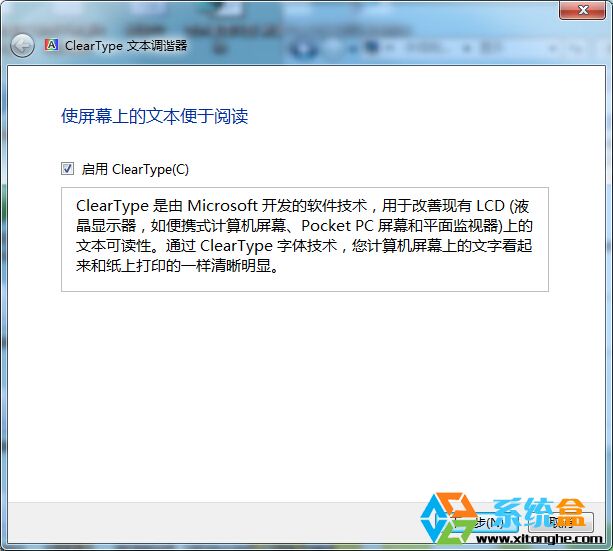
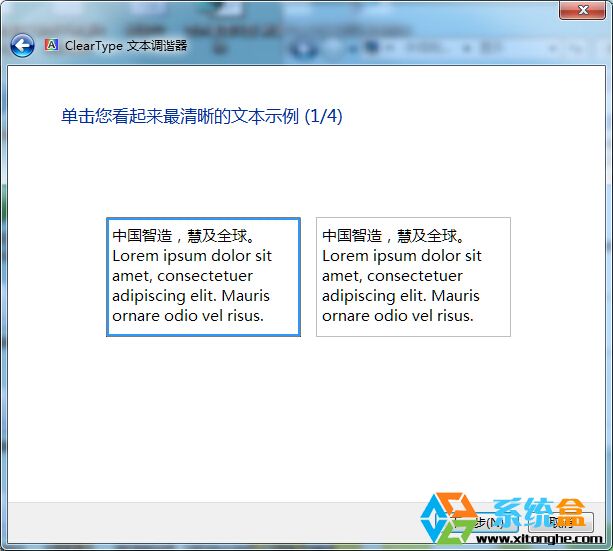
針對 LCD 螢幕亞像素排列優化,完成後網頁、文件、桌面圖示文字銳利度明顯提升,減輕眼部疲勞。
微軟網頁對比外掛 Diff-IE 體驗:高亮顯示網頁變更內容
Win7 關閉觸控螢幕功能的兩種方法
Virtual PC 虛擬機安裝 Windows 7 M3 完整圖文記錄:安裝精簡、HomeGroup 設定、PowerShell v2 內建
Windows 7 關閉自動更新完整步驟(含服務停用)
Windows 7 設定印表機共享完整步驟:啟用 Guest、共享設定與網路探索
清理 Windows 7 索引檔釋放系統碟空間:刪除 Windows.edb 與 cifiles 資料夾
Windows 7 十大禁停服務深度解析:關閉將導致系統癱瘓
Win7 误删桌面「傳送到」選單項目恢復技巧:SendTo 資料夾重建捷徑