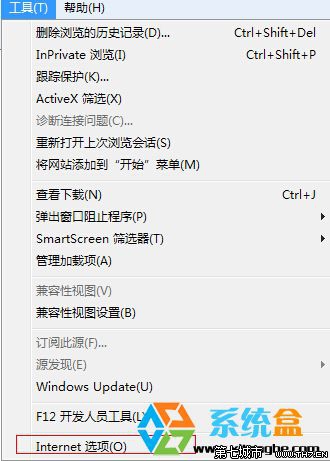
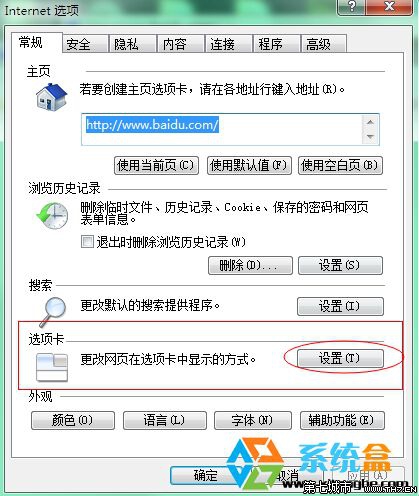
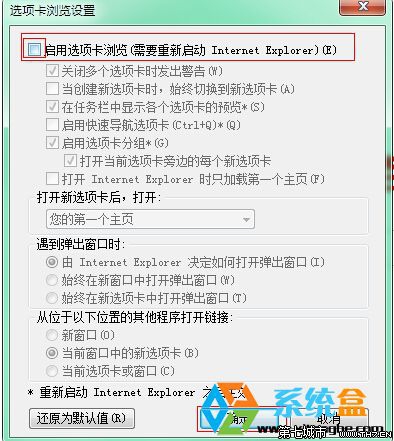
習慣單視窗操作、不想管理多索引標籤、或為長輩簡化介面的使用者。
Windows 7 啟用「最近使用的項目」在開始功能表顯示
Windows 7 將防火牆還原為預設設定教學
Windows 7 下先裝 SQL 2005 再裝 SQL 2000 正確連線設定完整教學
Win7 下載中斷/掉線?關閉網卡省電功能徹底解決長時間下載丟包
網友實測:Windows 7 完美相容國產網遊《劍網 3》
傲游瀏覽器 2.5.11.3390 緊急更新:修正 Win 7 家用版/Aero 關閉時頁面顯示異常
Windows 7 防毒進階觀念:理解開機流程與記憶體機制,從源頭阻斷病毒
Win7 開機硬碟自檢 (chkdsk) 原因與對策:讓它跑完、重新分區重灌、註冊表關閉 BootExecute