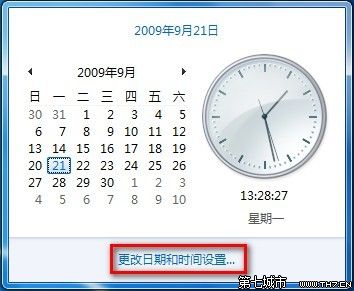
系統時間不準需手動校正?
建議啟用網路時間同步(見 ID 79395)避免時間漂移。
聯想筆電 Win7 進入 BIOS 設定畫面完整按鍵教學
Windows 7 系統垃圾檔案清理全攻略:資料夾與登錄表雙管齊下
Win7重啟Apache服務命令行方法:環境變量配置與httpd指令
Windows 7/8/XP 設定靜態 IP 完整圖文教學
微軟宣布 Windows 7 全球授權銷量突破 6 億套,佔聯網裝置 39%
Win7 如何用 Ping 指令測試網路連線?四步驟排查上網故障
Win7 加速工作列縮圖預覽/工具提示顯示速度:註冊表 MouseHoverTime 從 400ms 降至 100ms
USB 安裝 Windows 7 完整圖文教學:PE 環境下製作開機碟與安裝流程