精簡版/ Ghost 版 Windows 7 可能缺少網路層級驗證 (NLA) 元件,導致遠端桌面無法使用 NLA。透過登錄檔補充相關套件:
regedit 開啟登錄編輯器。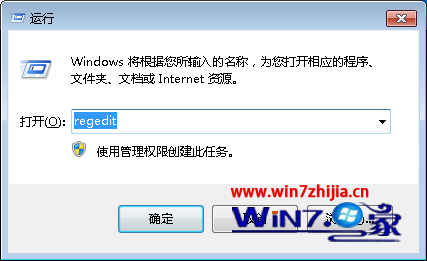
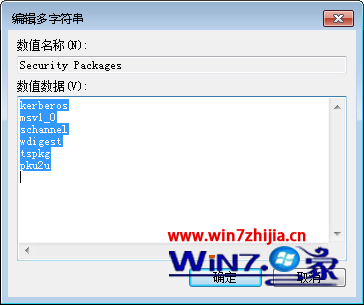
HKEY_LOCAL_MACHINE\SYSTEM\CurrentControlSet\Control\Lsa,雙擊右側 Security Packages,在清單中新增 tspkg。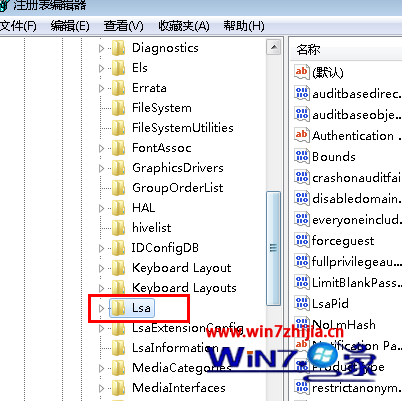
HKEY_LOCAL_MACHINE\SYSTEM\CurrentControlSet\Control\SecurityProviders,雙擊 SecurityProviders,在數值資料末尾加入 , credssp.dll(逗號後有一空格)。此修改補全 NLA 所需的 SSP 套件,讓 Ghost 版系統也能支援安全的遠端桌面連線。