Windows 7 內建錄音機(Sound Recorder)實際執行檔為 C:\Windows\System32\SoundRecorder.exe。若開始選單「附屬應用程式」中找不到捷徑,僅需手動建立捷徑並放入正確資料夾即可恢復。
C:\Windows\System32 按 Enter。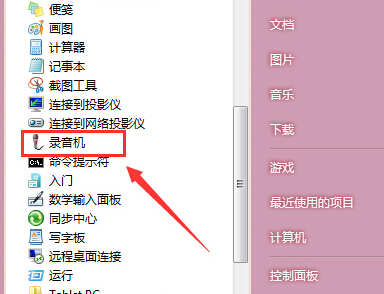
SoundRecorder.exe,右鍵選擇「傳送至」→「桌面建立捷徑」。shell:Common Programs 開啟「所有使用者」開始選單資料夾,或輸入 shell:Programs 開啟「目前使用者」資料夾。完成後點擊「開始」→「所有程式」→「附屬應用程式」,即可看到「錄音機」圖示。若需快速鍵啟動,可右鍵捷徑→「內容」→「快速鍵」欄位按下組合鍵(如 Ctrl+Alt+R)設定熱鍵。
Win7 錄音機功能極簡(僅支援 WMA 格式、無剪輯)。若需進階錄音編輯,建議安裝 Audacity(免費開源)或使用線上錄音工具。