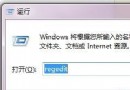
誤將 .exe 檔案關聯到其他程式導致所有執行檔無法開啟,透過匯入登錄檔修復預設關聯。
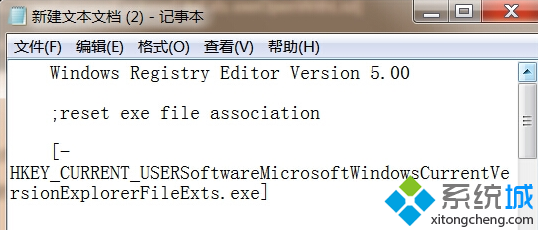
Windows Registry Editor Version 5.00

; reset exe file association
[-HKEY_CURRENT_USER\Software\Microsoft\Windows\CurrentVersion\Explorer\FileExts\.exe]

[HKEY_CURRENT_USER\Software\Microsoft\Windows\CurrentVersion\Explorer\FileExts\.exe]
[HKEY_CURRENT_USER\Software\Microsoft\Windows\CurrentVersion\Explorer\FileExts\.exe\OpenWithList]
[HKEY_CURRENT_USER\Software\Microsoft\Windows\CurrentVersion\Explorer\FileExts\.exe\OpenWithProgids]
"exefile"=hex(0):
FixExe.reg (類型「所有檔案」)。匯入後 .exe 檔案關聯恢復為系統預設 exefile,所有執行檔可正常開啟。若 HKCU 無效,亦可修復 HKLM 對應分支 (需管理員權限)。