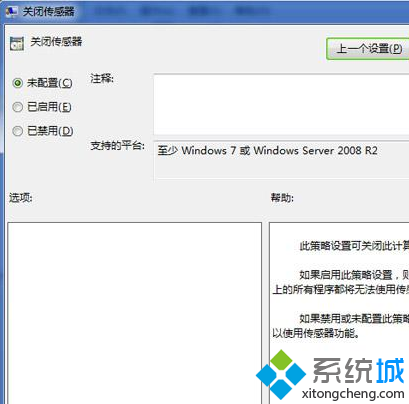
筆電/平板內建感應器 (加速計、光線感應等) 若不使用,可透過群組原則停用以釋放資源。
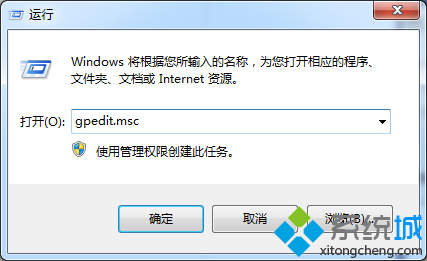
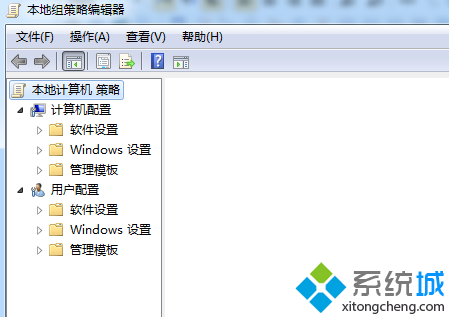
gpedit.msc
使用者設定 → 系統管理範本 → 所有設定
設定後感應器相關服務不再啟動。同理,群組原則中其他不需的功能 (如平板電腦元件、手寫辨識等) 均可停用以精簡系統。
深度解析 Windows 7 使用者帳戶控制(UAC):架構、提權機制、自動提權、安全性邊界與 Win7 改進
Win7 遠端桌面管理 XP 電腦完整設定教學:從客戶端啟用到管理端連線
Vista 升級 Windows 7 常見故障與解決之道:32 位元不可直升 64 位元
Win7 出現網路複製版:免費下載、完美啟用、下載量破萬
Win7 隱藏「電腦」內容選單(登錄檔法)防止他人查看系統資訊
Windows 7 複製檔案提示「檔名過長」解決方案
Win7 EXE 程式圖示消失?刪除 IconCache.db 重建圖示快取
解決 64 位 Windows 7 玩 DNF 兼容性問題:一招修改路由器 MTU 值即可