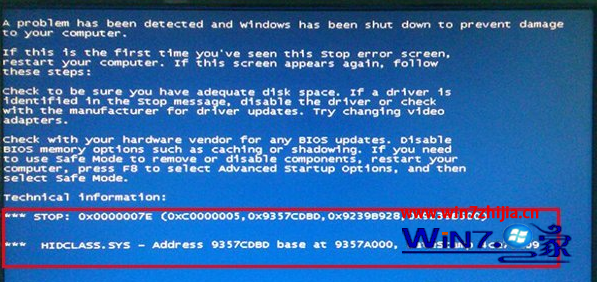
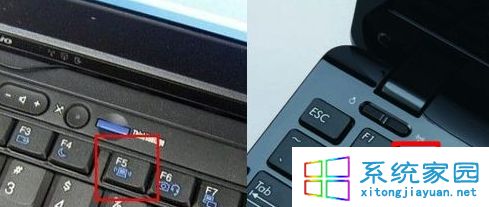
安裝 Win7 過程中藍屏代碼 0x0000007E,提示 HIDCLASS.SYS 錯誤,代表人介面裝置 (HID) 驅動衝突。移除外接鍵盤/滑鼠/無線接收器後重新安裝即可避開衝突。
0x0000007E
HIDCLASS.SYS
HIDCLASS.SYS 為 Windows 人介面裝置類別驅動。安裝階段若多個 HID 裝置同時初始化,可能導致驅動衝突觸發藍屏。安裝完成後再連接周邊裝置並更新驅動即可穩定運行。
Win7 系統自帶備份還原完整教學:輕鬆守護系統安全
善用 Win 7 權限控制 從源頭禁止 USB 裝置自動安裝驅動
Win7 靜音加速秘籍:關閉系統音效釋放資源提升響應速度
Win 7 絕對不能關閉的 10 大關鍵服務:動一個系統就癱瘓
Windows 7 常見問題精選:入門級問答 8 例
Win7 開機提示「部分便利貼的中繼資料已損毀」修復方法
Win7 QQ 語音無法使用?檢查聲卡驅動、錄音裝置靜音、麥克風增益三大排查點
Win7 善用指令快速啟動 IE9 提升效率