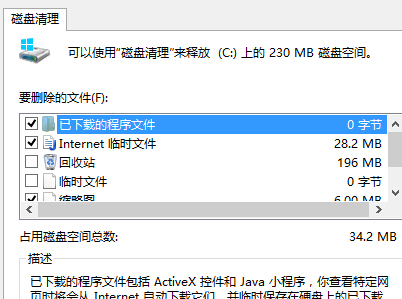
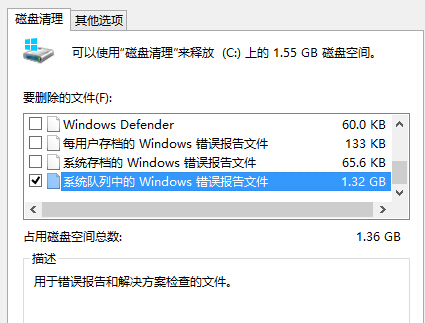
Windows Error Reporting (WER) 每次程式崩潰都生成 .wer / .dmp / .hdmp 檔案,長期不清會佔滿 C 様。
services.msc → Windows Error Reporting Service → 停用並設「停用」。需回報問題時再暫時啟用。
services.msc
保留最近 1 週錯誤報告供除錯,定期 (月) 執行磁碟清理。若特定程式頻繁崩潰產生大量報告,優先修復該程式而非單純清檔案。
Win7 旗艦版禁用黏滯鍵:輕鬆存取中心取消啟用與快速鍵觸發
Windows 7 SP1 Beta 將於 2010 年 1 月釋出 正式版預計夏季推出
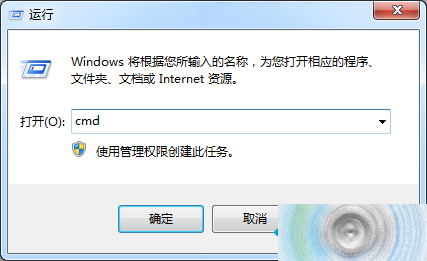
刪除 Windows.old 資料夾釋放 C 槽空間:需以管理員身分執行 rd 指令
挖掘 Windows 7 隱藏氣泡螢幕保護程式進階玻璃材質效果
Win7 為共享資料夾設定「完全控制」權限的步驟
Windows 7 禁止軟體修改登錄表:群組原則啟用「防止存取登錄表編輯工具」
Win7 啟用 3D 視窗切換 (Flip 3D) 與 Alt+Tab 縮圖切換
Windows 7 測試期開始鈕被點擊 5.14 億次,Aero Snap 與 Shake 總計 4.64 億次