同區域網路下使用 Win7 內建遠端桌面若出現卡頓,可透過關閉 TCP 自動調諧功能改善傳輸效能。
1. 確認非跨網段連線(跨網段受限於頻寬無法根本改善)。
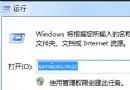
2. 按 Win + R 輸入 cmd 開啟命令提示字元(系統管理員)。
3. 執行指令:netsh interface tcp set global autotuninglevel=disabled
4. 重新建立遠端桌面連線,卡頓情況應明顯改善。
若需恢復預設,執行 netsh interface tcp set global autotuninglevel=normal 即可。