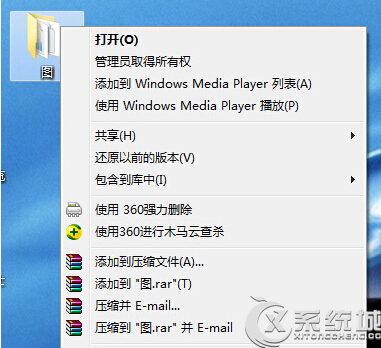
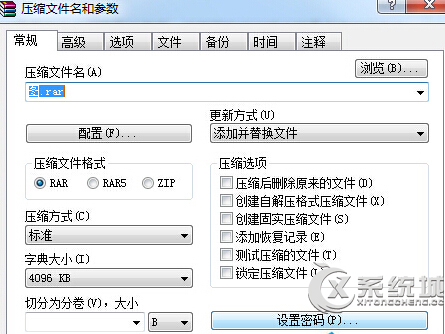
使用內建壓縮功能或第三方工具(如 WinRAR)設定密碼保護壓縮檔。
加密後解壓縮需輸入正確密碼,保護檔案隱私。
Win7 修改 hosts 檔案無法儲存?四種解決權限問題的方法
Win7 取消喚醒密碼(應用小技巧版):家用環境一鍵直進桌面,公共場合務必保持保護
優化 Win7 玩網遊不卡:調整 UAC 與相容性設定兩步驟
Windows 7 啟用雲端服務 (MySQL) 步驟
Windows 7 ADSL/路由器/撥號/Modem 上網完整設定圖文教學
Win7 通知區域找不到操作中心小白旗?UAC 與群組原則排查指南
Windows 7 漫畫專輯:輕鬆學會 Win7 新功能
提升 Win7 雙核/多核 CPU 開機速度:啟用多處理器啟動並行處理