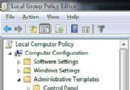
Win7 系統中若 .exe 執行檔無法正常開啟(如雙擊無反應、以錯誤程式開啟),通常是檔案關聯在註冊表中損壞。透過修正 HKEY_CLASSES_ROOT\exefile\shell\open\command 鍵值即可快速修復。
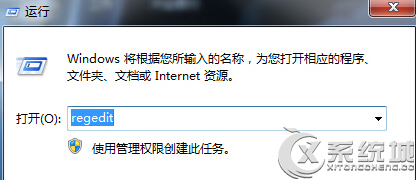
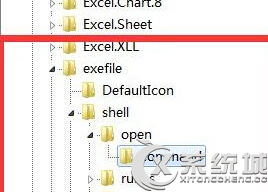
regedit 並按 Enter 開啟註冊表編輯器。HKEY_CLASSES_ROOT → exefile → shell → open → command"%1" %*(含雙引號與空格)。重要:修改註冊表前建議匯出備份對應分支。若無法開啟 regedit,可嘗試以管理員身分執行、或使用 .reg 檔案導入修復。
將以下內容儲存為 fix_exe.reg,雙擊匯入並重開機:
Windows Registry Editor Version 5.00

[HKEY_CLASSES_ROOT\exefile\shell\open\command]
@="\"%1\" %*"