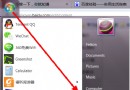
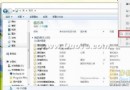
Windows 7 桌面突然出現「最近瀏覽位置」捷徑圖示,右鍵無「刪除」、Delete 無效、桌面圖示設定也找不到選項。實測這是 Explorer 快取異常產生的暫時性殘留,非真實捷徑檔案。
Windows 7 Shell 命名空間擴充功能會動態建立「最近位置」虛擬資料夾。當快取索引異常 (如剛安裝軟體、系統更新、檔案關聯變更) 時,會錯誤在桌面實體化顯示該虛擬項目。重新整理會觸發 Shell 重新列舉命名空間,移除錯誤項目。
explorer.exe (工作管理員 → 結束處理序 → 新增工作 → explorer)%LocalAppData%\Microsoft\Windows\Explorer\ 下 iconcache_*.db 檔案若不想在檔案總管/開啟檔案對話框看到最近位置:
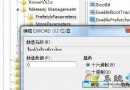
gpedit.msc (專業版/企業版)HKEY_CURRENT_USER\Software\Microsoft\Windows\CurrentVersion\Policies\Explorer → 新增 DWORD NoRecentDocsHistory = 1