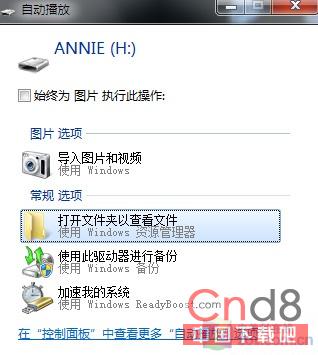
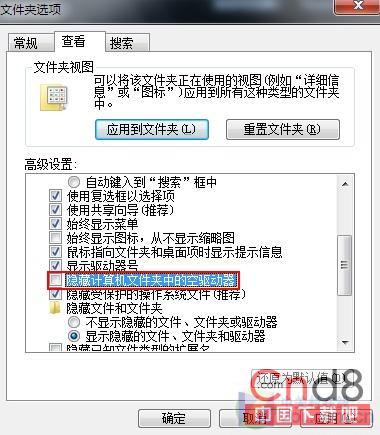
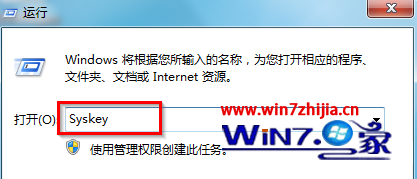
部分 Win7 用戶發現插入全新 USB 隨身碟,系統提示可用卻不彈出「自動播放」視窗。非裝置故障也非 Bug,乃系統預設「隱藏電腦資料夾中的空磁碟機」導致。
原理:Win7 對空 USB 裝置預設只識別不執行自動播放。修改設定後即恢復熟悉的自動播放行為。
Windows 7 進入安全模式完整指南:三種啟動方式與常見故障排查
Windows 7 低級錯誤一:螢幕鍵盤數字鍵 3 與 8 消失
Win7 防火牆優化設定:允許/封鎖特定程式通行
Win7 善用「反向選取」功能,快速篩選檔案
Windows 7 系統出現亂碼?兩個登錄表修正法快速恢復正常顯示
Windows 7 插入 USB 碟無法自動播放?啟用 Shell Hardware Detection 服務
Win7 省電技術深度解析:9 大核心機制從閒置功耗到計時器整合
Windows 7 內建 PSR 桌面操作記錄器:一鍵生成圖文教學報告