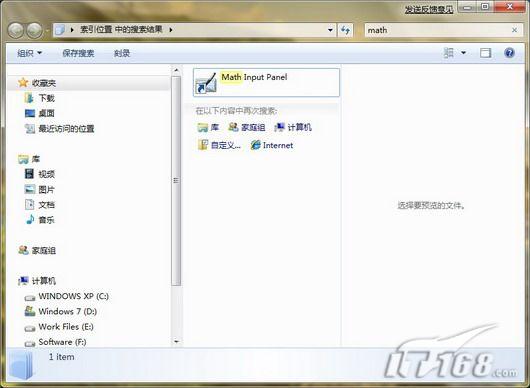
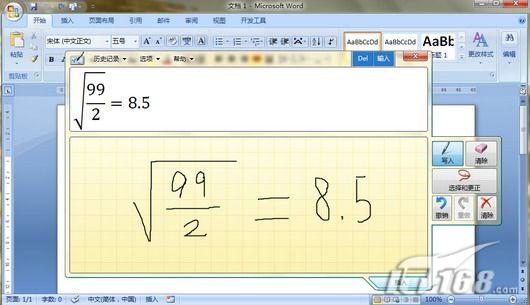
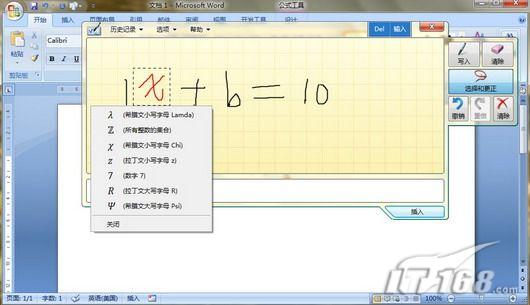
Windows 7 內建「數學輸入面板」,無需開啟 Word 再叫出公式編輯器,直接手寫或滑鼠繪製數學公式,一鍵插入 Word 2007+,極大提升輸入效率。
math
右鍵桌面→「新增」→「捷徑」,位置輸入:"%CommonProgramFiles%\Microsoft Shared\Ink\mip.exe",命名為「數學輸入面板」,未來一鍵啟用。
"%CommonProgramFiles%\Microsoft Shared\Ink\mip.exe"
此功能支援複雜數學符號、矩陣、積分等,是理工科師生、文書人員的利器。
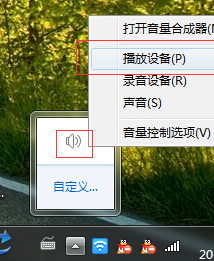
Win7 解決 QQ 訊息彈出導致影音音量驟降:關閉通訊活動自動降音
Windows Media Center:Windows 7 內建多媒體中心的驚人實力
Win7瀏覽器點擊旺旺無法自動啟動阿里旺旺?指定瀏覽器路徑修復協議關聯
Win7 工作列加入多功能地址列:啟動程式、開啟網頁、搜尋關鍵字一列搞定
Win7 旗艦版安裝驅動失敗提示「檔案遺失」?命令列定位遺失路徑並補全檔案修復
Win7 使用者資料夾遷移全攻略:三大方法幫 C 盤減壓
Windows 7 程式無法正常執行?三大相容性急救招:相容模式、管理員權限、相容性安裝
Win7 工作列資源管理器預設開啟位置自訂:我的電腦、文件庫、回收站任選