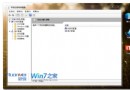
services.msc
regedit
HKEY_CURRENT_USER\Software\Microsoft\Windows\CurrentVersion\Explorer\CD Burning\StagingInfo\Volume
StagingPath
C:\Users\你的用戶名\AppData\Local\Microsoft\Windows\Burn\Burn
讓 Windows 7 系統搖身變身 Wi-Fi 基地台
Windows XP 優化加速三絕招:減少掃描等待、刪除備份、停用壓縮資料夾
Win7 快速查看桌面:Aero Peek 透視 + 搖晃視窗最小化
安裝 Win7 系統六大方法完整比較:光碟、虛擬光碟、硬碟、USB、軟體引導、VHD
Win7 32 位純淨版備份 IE8 加速器完整教程
Win7 修改時間/日期/時區完整教學:任務列右鍵三步驟、同步網路時間、命令列批次修改
Windows 7 顯示檔案副檔名設定教學
Win7 CMD 命令提示字元被停用?群組原則一鍵恢復