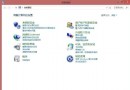
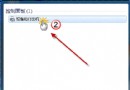
Win7 資源管理員原生支援 ZIP,但操作不如 WinRAR/7-Zip 直覺,許多用戶想移除關聯。
regedit
HKEY_CLASSES_ROOT\CLSID\{...}
刪除後雙擊 ZIP 將不再由系統開啟,改由關聯的第三方工具處理。若需恢復,可從備份 .reg 匯入或重新安裝第三方壓縮軟體。
Win7 關閉桌面特效提升效能:視覺效果自訂與效能選項調教
Win7 登入 163 信箱出現 0xc06d007e 錯誤的完整解決教學
免破解直接激活 Win7?網傳「神 Key」清單(含最新兩枚),風險自負
Win7 開機反覆彈出 wanADT.exe / AdbWinApi.dll 錯誤?徹底清理刷機工具殘留檔案
Win7 工作列鎖定功能進階應用:程式固定、IE9 網站釘選、磁碟機捷徑建立
Win7 玩 LOL 頻繁自動關機?五大硬體級排查:CPU 散熱、電源、顯卡、主板、病毒
Win7 群組原則無法開啟:MMC 無法建立管理單元解決
Windows 7 RC 十大新發現:Aero Peek 增強、超級工作列 Shift 右鍵、桌面圖示切換、XP 模式、觸控支援