Win7 旗艦版 Aero Shake:搖動視窗標題列即最小化其他視窗,再搖一次還原。許多用戶習慣 Win+D,覺得此功能多餘且佔資源。
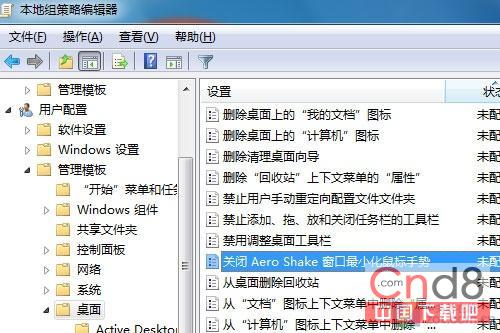
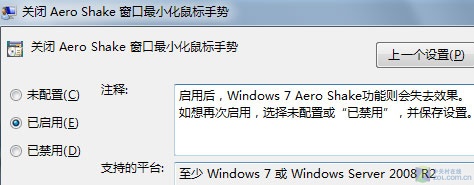
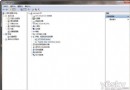
停用方法
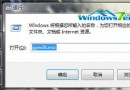
gpedit.msc
適用範圍:僅 Win7 / Windows Server 2008 R2 有效,Vista 不支援。
編輯實測
停用前後系統資源佔用無明顯差異,節省資源說法不成立;純粹為移除不習慣的手勢干擾。
Win7 桌面「最近造訪的位置」圖示無法刪除?教你一招重新整理即可消失
雙系統移除 Win 7 完整技巧:XP/Vista 環境下恢復單系統啟動
Win7、Vista、XP 混合局域網磁碟共享權限設定全攻略
微軟反駁 Sophos 結論:Windows 7 不安全屬誤導
解決 Windows 7 體驗指數「無法評定視訊播放效能」錯誤:修復編解碼器檔案命名
Windows 7 使用快速鍵啟動應用程式:將捷徑放入 %windir% 目錄
找回 Windows 7 資源管理器導覽列的資源回收筒:資料夾選項勾選顯示所有資料夾
Win7 搜尋功能消失/無法使用?檢查權限與啟用 Windows Search 服務