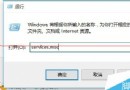
更新顯卡驅動(如 HD2400→HD6570)後執行「Windows 體驗指數」重新評分,在「Windows Media 解碼」階段彈出「無法評定視訊播放效能」。原因可能是頁面檔過小或放在 RAM Disk,但常見原因是系統編解碼器檔案被更名。
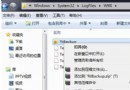
檢查 C:\Windows\System32 下以下三個檔案是否被改名(通常加上 .blk 副檔名),若是則改回原名:
msmpeg2vdec.dllmsmpeg2adec.dllmfds.dll修正後重新執行體驗指數評分即可正常完成視訊播放效能評定。
Win7 64位旗艦版搜狗輸入法無法使用?三大常見原因與解決方案
Win7 安裝工具報錯「error launching installer」?區域與語言設定非 Unicode 程式語言改為中文修復
Windows 7 原生支援 VHD 虛擬硬碟:建立、掛載、卸載全圖文教學
微軟公關澄清:Windows 7 界面借鑒 Mac OS X 屬個人錯誤言論
Win7 開機提示「便箋中繼資料損毀」修復:重新註冊 inkobj.dll
Win7 本地連線「未識別的網路」秒解:重設網卡協定綁定順序三步驟
Windows 7 資源管理器掛載 SkyDrive 25GB 雲端硬碟:SkyDrive Explorer 讓雲端如本地磁碟