Windows 7 內建「建立系統修復光盤」功能,可製作開機修復媒體,系統損壞無法開機時派上用場。
製作步驟
- 準備 CD/DVD 燒錄器與空白光碟(或用第三方工具寫入 USB)。
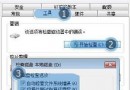
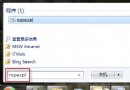
- 開始選單搜尋 系統修復 → 開啟建立精靈,或 所有程式 → 維護 → 建立系統修復光盤。
- 選擇燒錄器 → 建立光盤,靜待完成。
修復光盤功能
- 啟動修復:自動修復常見開機問題。
- 系統還原:回溯至先前建立的還原點。
- 系統映像還原:使用完整備份映像還原。
- Windows 記憶體診斷:檢測 RAM 錯誤。
- 命令提示字元:進階手動修復。
最佳實務
養成定期建立系統映像備份或還原點習慣(建議在系統與常用軟體安裝完成後建立),搭配修復光盤可最大程度避免重灌系統後仍需逐一安裝軟體的麻煩。