Windows XP Windows 7 Windows 2003 Windows Vista Windows 綜合教學 Linux 系統教學
Windows 10 Windows 8 Windows 2008 Windows NT Windows Server 電腦軟體教學

Windows 7 導覽窗格樹狀結構:為當前資料夾加上明顯標記

編輯:Windows 7 系統介紹

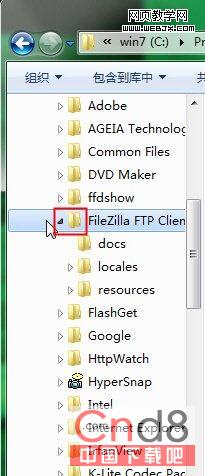
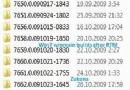
Win 7 資源管理器左側導覽窗格預設不突顯當前資料夾,可自行加入自訂圖示:

  1. 準備 .ico 透明背景圖示檔,放固定資料夾。
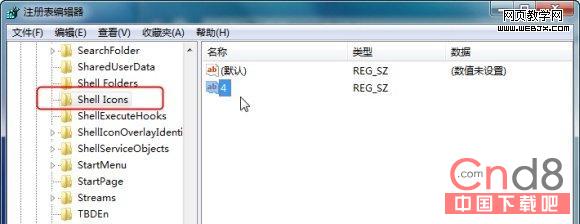
  2. Win+R → regedit → 定位 HKEY_LOCAL_MACHINE\SOFTWARE\Microsoft\Windows\CurrentVersion\explorer\Shell Icons。
  3. 若無 Shell Icons 鍵,右鍵 explorer →「新增」→「鍵值」→ 命名 Shell Icons(注意大小寫與空格)。
  4. 右側新增字串值,名稱為 3,數值資料填入圖示完整路徑(如 C:\Icons\current_folder.ico)。
  5. 重啟 explorer.exe 或登出/登入,當前資料夾即顯示自訂圖示。

導覽窗格當前資料夾標記

Shell Icons 登錄位置

小小調整,大幅提升深層資料夾定位效率。

Copyright © Windows教程網 All Rights Reserved