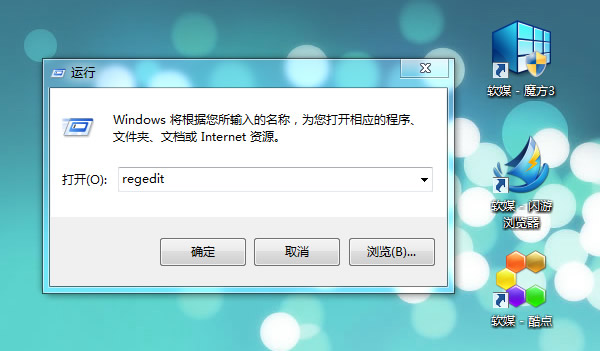
regedit
HKEY_LOCAL_MACHINE\SOFTWARE\Microsoft\Windows NT\CurrentVersion
Winlogon
SpecialAccounts → UserList
UserList
Administrator
0
UserList 下的 DWORD 值名對應帳號名稱,數值 0 = 隱藏,1 = 顯示。同法可隱藏任意帳號。
1
Windows 7 禁止桌面存放資料夾/檔案:NTFS 權限鎖定桌面資料夾寫入權限
Win7 IE瀏覽器啟動後自動關閉/閃退?清理緩存+註冊表重註冊核心DLL徹底修復
查看 Windows 7 確切開機時間:事件檢視器系統日誌篩選 EventLog 來源
Win7 螢幕保護程式設定圖文教學:旗艦版 vs 家用版路徑差異全解析
Win7 無線網路圖示異常/消失?魔方電腦大師一鍵修復圖示快取
Win7 手動設定 DNS 與 IP 位址:網路介面卡屬性四步完成
Windows 7 關機超慢?四大原因與解決方案讓關機提速
Windows 7 相容性徽標計畫:從 Vista 的 4 種簡化為單一認證