Windows XP Windows 7 Windows 2003 Windows Vista Windows 綜合教學 Linux 系統教學
Windows 10 Windows 8 Windows 2008 Windows NT Windows Server 電腦軟體教學

Win7 開機關機加速十招:清理啟動項、停用無用服務、碎片整理、刪除 Prefetch、調整視覺效果、修復系統檔案

編輯:Windows 7 系統介紹

Win7 開機關機變慢?十招由輕入重徹底加速,若仍不夠快再考慮加裝記憶體/SSD 或重灌系統。

十招加速清單

  1. 清理開機啟動項:regedit → HKLM\SOFTWARE\Microsoft\Windows\CurrentVersion\Run / HKCU\...\Run 刪除 QQ、迅雷、RealPlayer 等非必要項 (最關鍵)。
  2. 停用無用服務:services.msc → 停用 Windows Search、Windows Update、Tablet PC Input、Fax、Remote Registry 等視需求關閉 (很重要)。
  3. 磁碟碎片整理:開始 → 附屬應用程式 → 系統工具 → 磁碟碎片整理 → 分析後整理。
  4. 清空 Prefetch:刪除 C:\Windows\Prefetch 所有檔案 (重開機後會重建常用程式追蹤)。
  5. 減少桌面圖示:捷徑歸類資料夾或用開始選單啟動,桌面壁紙 < 300KB。
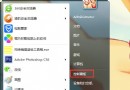
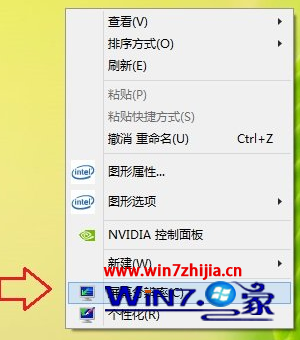
  6. 視覺效果調整為最佳效能:電腦右鍵→內容→進階系統設定→效能→設定→「調整為最佳效能」。
  7. 增加實體記憶體:物理升級最直接有效。
  8. 系統檔案修復:Win+R → cmd → sfc /scannow。
  9. BIOS 設定光碟機優先開機做修復安裝:插入安裝光碟,選修復安裝 (需重新啟動)。
  10. 關機等待時間縮短:regedit → HKLM\SYSTEM\CurrentControlSet\Control\WaitToKillServiceTimeout 從 12000 (12秒) 改 5000~7000。

執行建議順序

1→2→3→4→10 (軟體層面) → 若仍慢 → 7 (硬體) → 8→9 (系統層面)。

定期維護,Win7 永遠保持秒開秒關。

Copyright © Windows教程網 All Rights Reserved