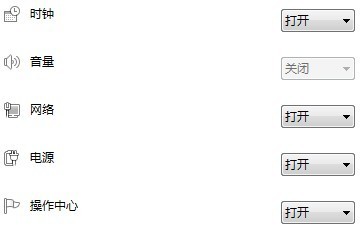
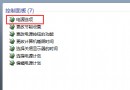
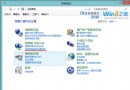
右下角音量圖示變灰、無法點擊,但聲音正常、驅動無誤。修復步驟:
注意:若重開機後復發或找不到 `systray.exe`,可能為 Win7 SP0 Bug,建議升級 SP1 或重裝其他版本。
Win 7 Windows Update 錯誤 8024402F 完整排除:網路、防火牆、系統檔案修復、重新註冊 DLL
Windows 7 桌面右下角提示 Intel 快速儲存技術未執行(重複 77869)
善用 Windows 7 效能監視器 精準診斷電腦卡頓原因
Windows Media Player 12 新特性介紹:分離播放/管理模式、原生支援主流格式、HomeGroup Play To 串流
解決 Windows 7 Beta 安裝軟體顯示亂碼:正確設定區域與語言選項
Win7 開機提示致命錯誤 C0000034?最後正確配置與安全模式雙重修復
Windows 7 拒絕連接無線路由器?升級路由器韌體解決相容性問題
Win7 安裝失敗原因全面解析:30 天緩衝期、升級顧問、MAP 工具包助企業部署