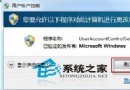
個人電腦若無隱私顧慮,每次開機輸入密碼確實累人。Win7 可透過「使用者帳戶」控制台取消登入驗證,實現開機直進桌面。
control userpasswords2
提醒:若電腦為多人共用或攜帶外出,建議保留密碼保護,避免隱私外洩。
Win7 IE8 無回應/當機?四步驟重置修復流程(順序勿亂)
Win7安裝Flash彈出「憑證驗證失敗」?刪除不受信任發行者即可解決
Windows 7 藍屏成因深度分析:虛擬記憶體、CPU 超頻、記憶體相容、病毒攻擊與系統臃腫
XP 升級 Windows 8 系統完整圖文教學
Win7 輕鬆調整網卡優先順序,解決多網卡(有線/無線/虛擬)路由衝突
Windows 7 磁碟分區新思維:其實只要一個分區就夠了?
Win7 禁止桌面建立資料夾:NTFS 權限移除「寫入」權限強制乾淨桌面
搶攻 Windows 8:微軟明年 7 月起將開發重心全面轉移