背景
Vista Ultimate 引入 Dreamscene 視頻桌面,Win7 移除預設入口但核心組件保留,可透過修補啟用。
前置條件:強制啟用 Aero
- Win+R →
regedit → 定位/新建:
HKEY_CURRENT_USER\Software\Microsoft\Windows\DWM
- 右側新建 DWORD (32-bit):
UseMachineCheck=0
Blur=0
Animations=0
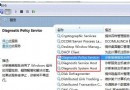
- 重啟 DWM 服務:
net stop uxsms && net start uxsms
- 必要時重啟系統,確認 Aero 已啟用(視窗半透明、任務列縮圖預覽正常)。
安裝 Dreamscene 組件
- 下載 Windows7-DreamScene.exe(打包含
DreamScene.dll、DreamScene.dll.mui、註冊表項)。
- **以管理員身分執行**安裝程式 → 自動複製檔案至
%WinDir%\System32 及 en-US、註冊 COM 組件、重啟 explorer。
使用方法
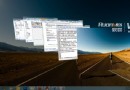
任意 .wmv、.mpg 視頻檔 → 右鍵 →「設定為桌面背景」即可動態播放。
適用範圍與注意
- ✅ 實體機、Virtual PC 2007、VMware、VirtualBox 均可用。
- ⚠ 持續解碼視頻佔用 GPU/CPU,筆電會縮短續航、增加發熱。
- ⚠ 部分驅動/編碼器相容性可能導致閃爍/卡頓,建議用低碼率 WMV 格式。
- ❌ Win8/10 核心架構變更,此法完全失效,請改用 Wallpaper Engine / Lively Wallpaper 等現代工具。