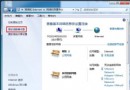
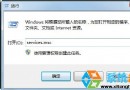
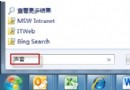
Win7 任務列總管圖示預設開啟「程式庫」,習慣「電腦」(我的電腦)的使用者可修改捷徑目標路徑:
%SystemRoot%\explorer.exe /e,::{20D04FE0-3AEA-1069-A2D8-08002B30309D}
%SystemRoot%\explorer.exe /e,
CLSID {20D04FE0-3AEA-1069-A2D8-08002B30309D} 代表「我的電腦」。同理可設為其他特殊資料夾(如控制台、網路位置)。
{20D04FE0-3AEA-1069-A2D8-08002B30309D}
Windows 7 遠端串流媒體實測:像 Slingbox 一樣在異地看家裡影音
Windows 7 修改工作列跳躍清單顯示項目數目
在 Windows 7 安裝 WMP 11 解決迅雷看看相容性問題
Windows 7 執行指令大全:常用控制台、管理工具、系統功能快速啟動
Win7 虛擬記憶體設定三大迷思與正確調校法:放系統盤最快、依實際用量設定、不可過大
Win7 存取網上鄰居提示「未授予使用者請求的登入類型」怎麼辦?群組原則授權網路存取權限
Windows 7 系統優化基礎設定:視覺效果、錯誤回報、系統還原、自動更新、遠端協助、Dr.Watson 完整關閉指南
Windows 7 已極致美觀,勿濫用桌面美化軟體拖慢效能