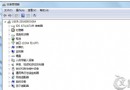
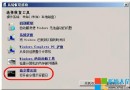
資料夾中圖片檔案僅顯示通用圖示,無法顯示縮圖預覽;且截圖工具存檔無副檔名。主因:「資料夾選項」中啟用了「一律顯示圖示,不顯示縮圖」。
補充:若取消勾選後仍無縮圖,可嘗試:• 磁碟清理 → 勾選「縮圖」清除快取重建。• 檢查系統磁碟剩餘空間(過低會停用縮圖)。• 執行 sfc /scannow 修復系統檔案。
sfc /scannow
Windows 7 無線網路設定完整指南:從硬體準備到連線步驟一站式教學
Win7 桌面 IE 圖示刪不掉?註冊表刪除 DesktopNameSpace 對應 CLSID 徹底移除
微軟承認 Windows 7 激活被繞過,正研發對策封堵破解
Win 7 徹底關閉休眠:電源選項設「從不」不夠,必須 powercfg -h off 刪除 hiberfil.sys
治癒 Win7「失眠症」:徹底解決休眠失效、意外喚醒問題
IE11 相容性檢視設定:快速加入舊版網站清單
Win 7 64 位元 Intel 1000 無線網卡修改 MAC 位址失效?橋接法繞過限制
Windows 7 開機加速實戰:清理系統字體大幅縮短載入時間